
The AI Hub is where you set up the AI of your bot. Each piece has one job:
- AI Agents hold the conversation with the user, following the prompt you give them.
- AI Functions let an agent do something outside the chat, like saving a user’s details or checking available time slots. Each function runs a workflow and returns the result to the agent.
- AI Tasks process text in the background, for example summarizing a conversation or classifying a lead. They don’t talk to the user.
- MCP Servers, AI Knowledge Base and Web Search are tools an agent can use to find information while it answers.
Where to find it
Open your bot and click AI Hub in the left-hand menu.
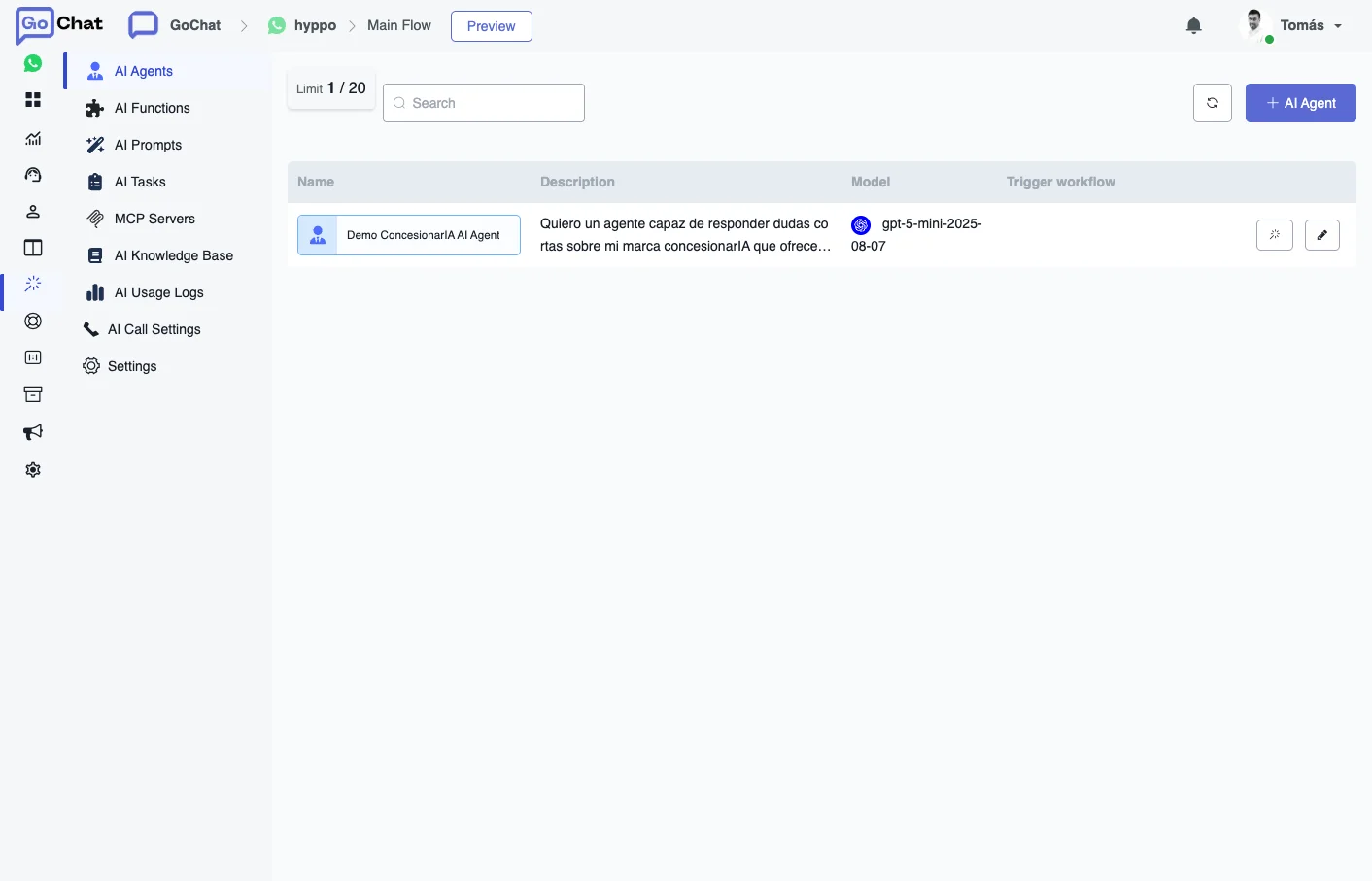
The menu has these sections:
| Section | What it is for |
|---|---|
| AI Agents | Create the agents that talk to your users. |
| AI Functions | Actions an agent can run through a workflow. |
| AI Prompts | Saved prompts that agents use in Live Chat. They are shared by all the bots in the workspace. |
| AI Tasks | Background jobs that turn text into a result you can save in a field. |
| MCP Servers | Connect external services that an agent can query. |
| AI Knowledge Base | Files an agent can search to answer questions. Shared by all the bots in the workspace. |
| AI Usage Logs | Every AI call of the bot, with its model, tokens and status. |
| AI Call Settings | An AI agent that answers incoming calls. |
| Settings | The default AI provider and model of the bot. |
Get started
- Create an agent in AI Agents and write its prompt. See AI Agents.
- If the agent has to do something besides answering, like booking an appointment, create an AI Function and add it to the agent.
- In the Flow Builder, add an Action step, choose AI Actions and then AI Agent, and select your agent.
- Send yourself the flow and talk to the agent.
- Check AI Usage Logs and the Live Chat conversation to see which agent answered and which functions it called.