
Set up
Prerequisites for set up
If you are migrating from another platform, the migration process is very simple (you are minutes away to start using GoChat)
- Admin access to your Meta Business Manager account
- WhatsApp Business Account configured with an active phone number and an active billing card
Instructions step by step
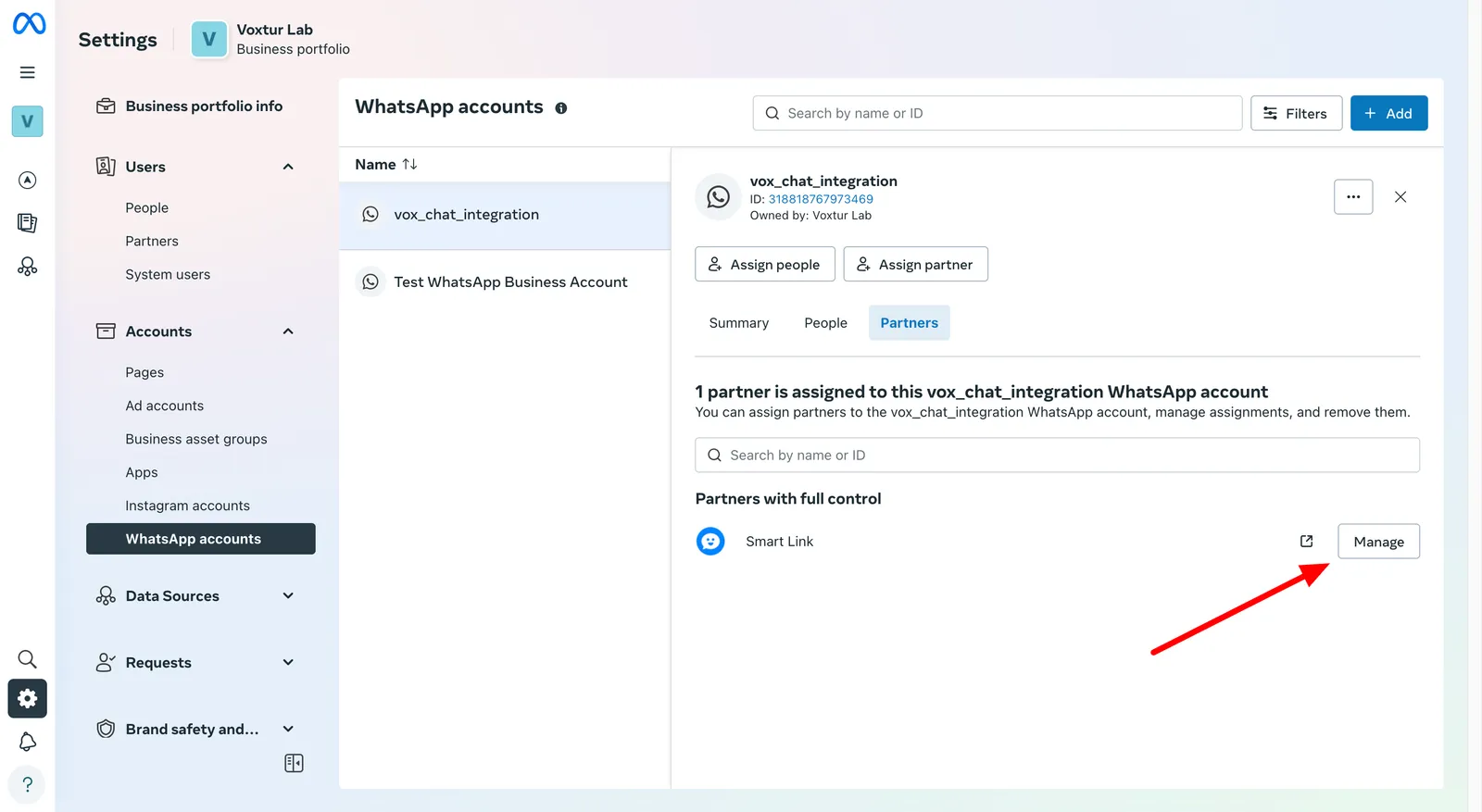
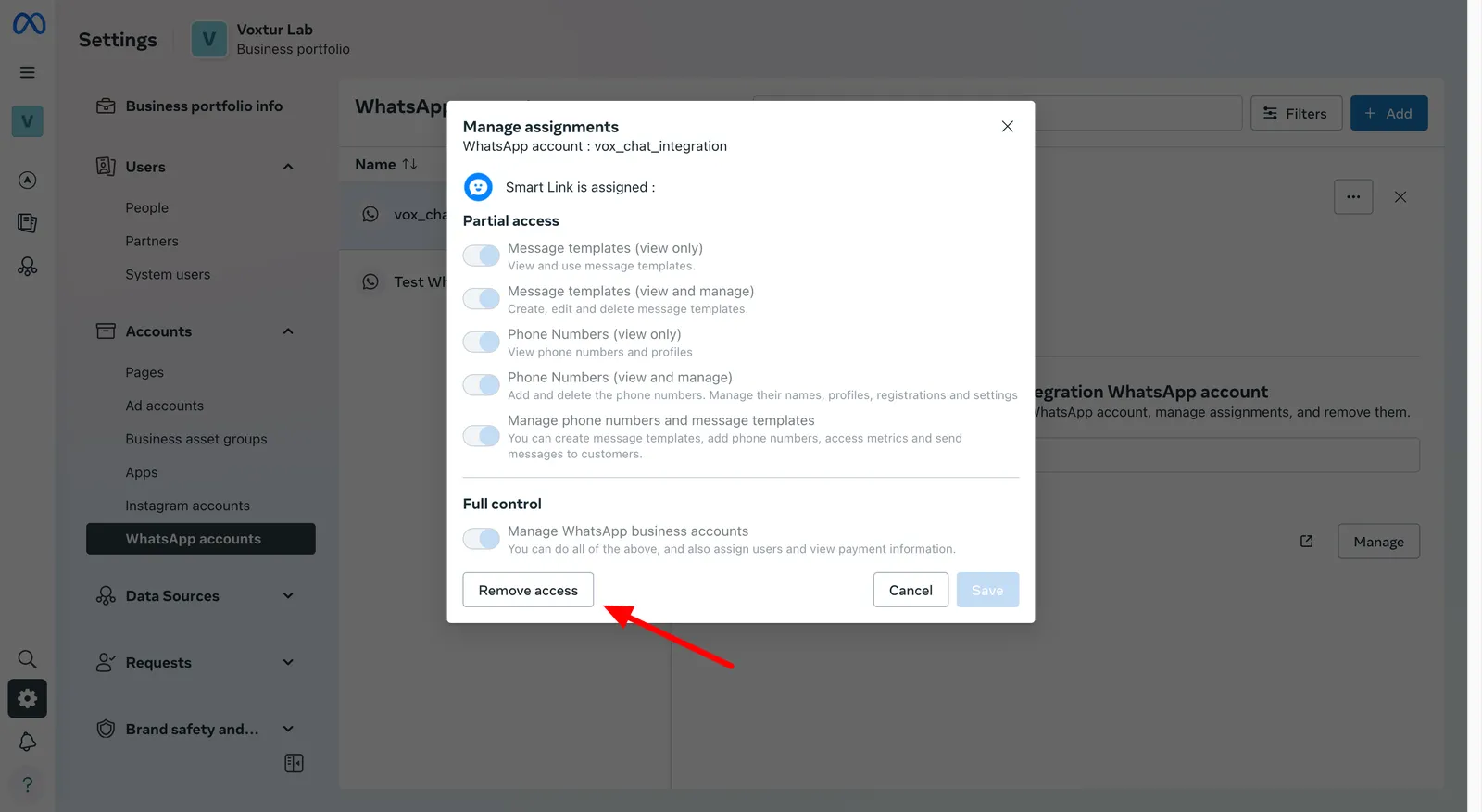
Step 1: Remove the current Partner if you see one
Login to Facebook configuration where the WABA is and remove the Partner that is associated
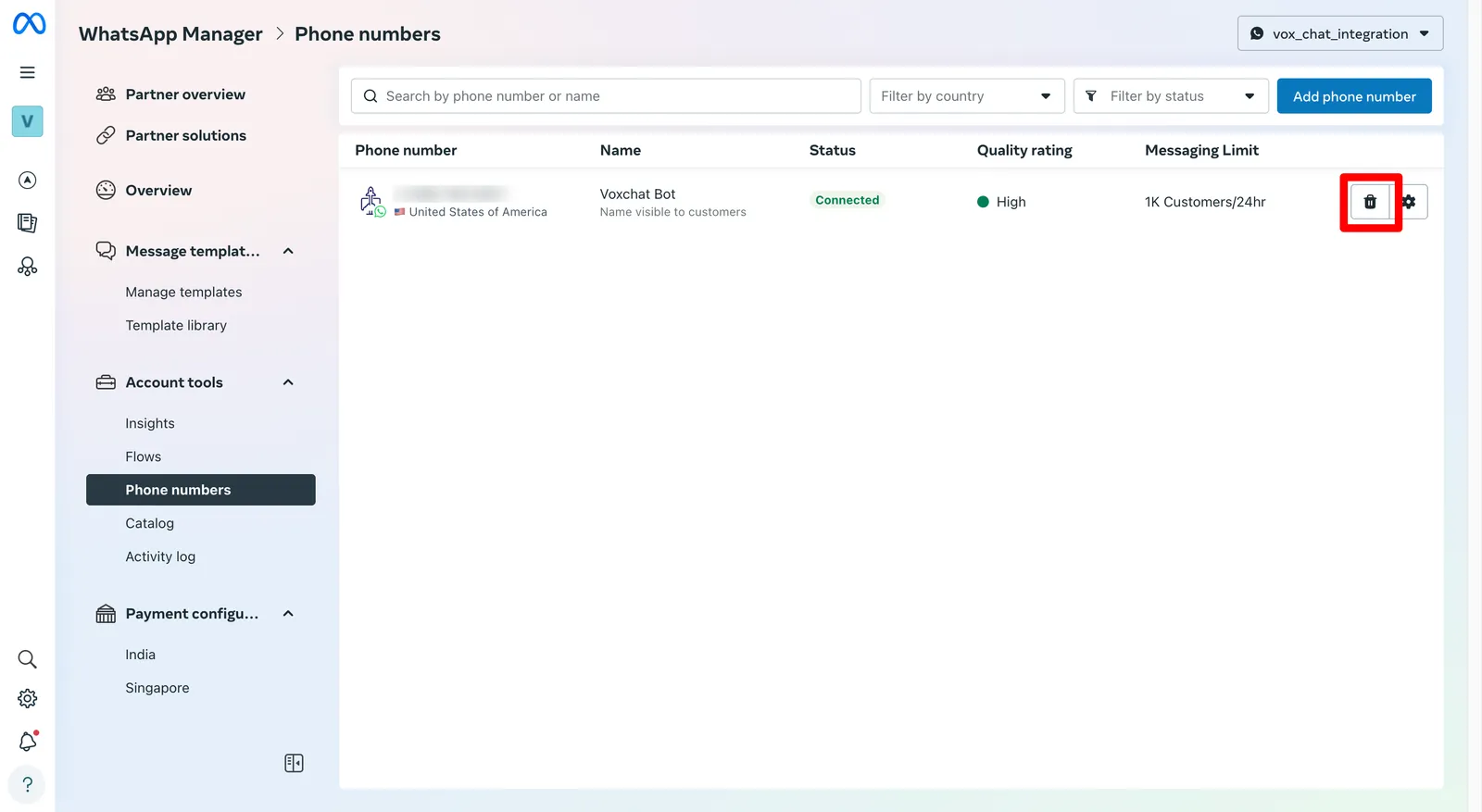
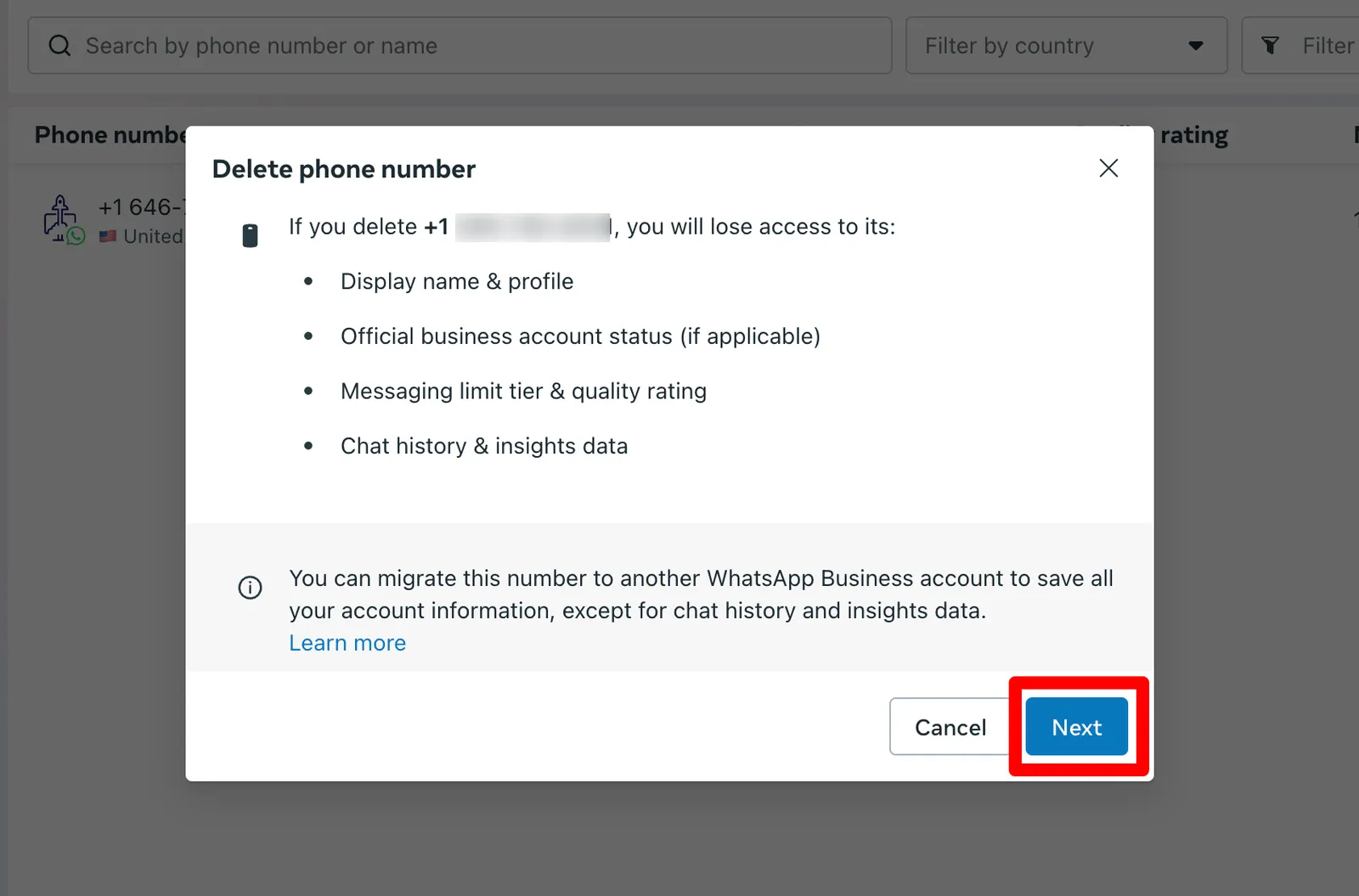
Step 2: Delete Whatsapp phone in the Whatsapp manager
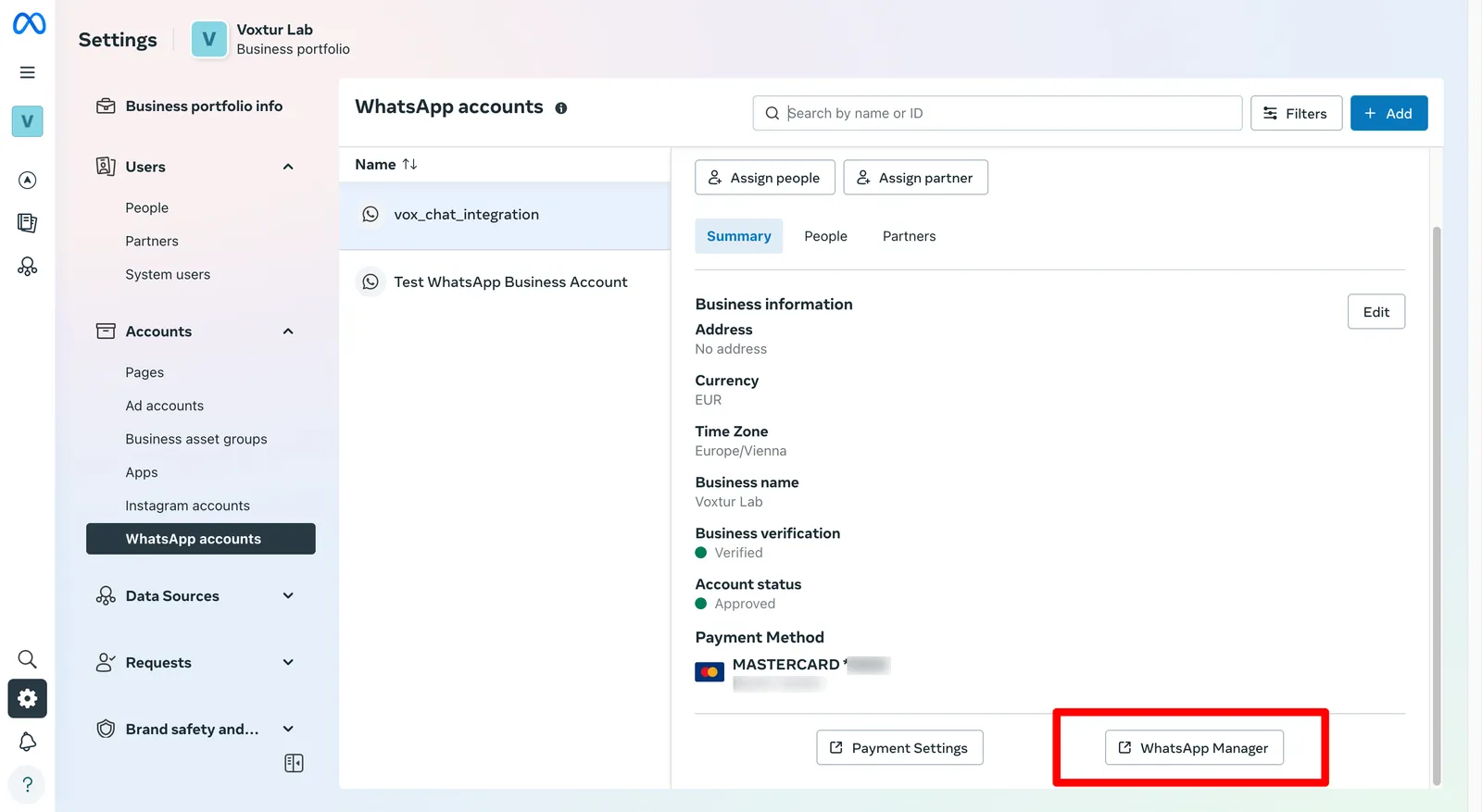
Go to the whatsapp manager
Delete the phone number from the Whatsapp Business Account created by the third party platform
Step 3: In GoChat login in Facebook in the Whatsapp API channel
Follow the steps from Step 1 described in Set up a new phone from zero