
AI Prompts are ready-made actions that Live Chat agents apply to the text they are writing: adjust the tone, translate a reply or rewrite it. The agent picks a prompt from the chat window and gets the transformed text back, without leaving the conversation or opening a translator.
AI Prompts are shared among all bots in the workspace, so you create them once and every Live Chat agent can use them.
Create an AI Prompt
-
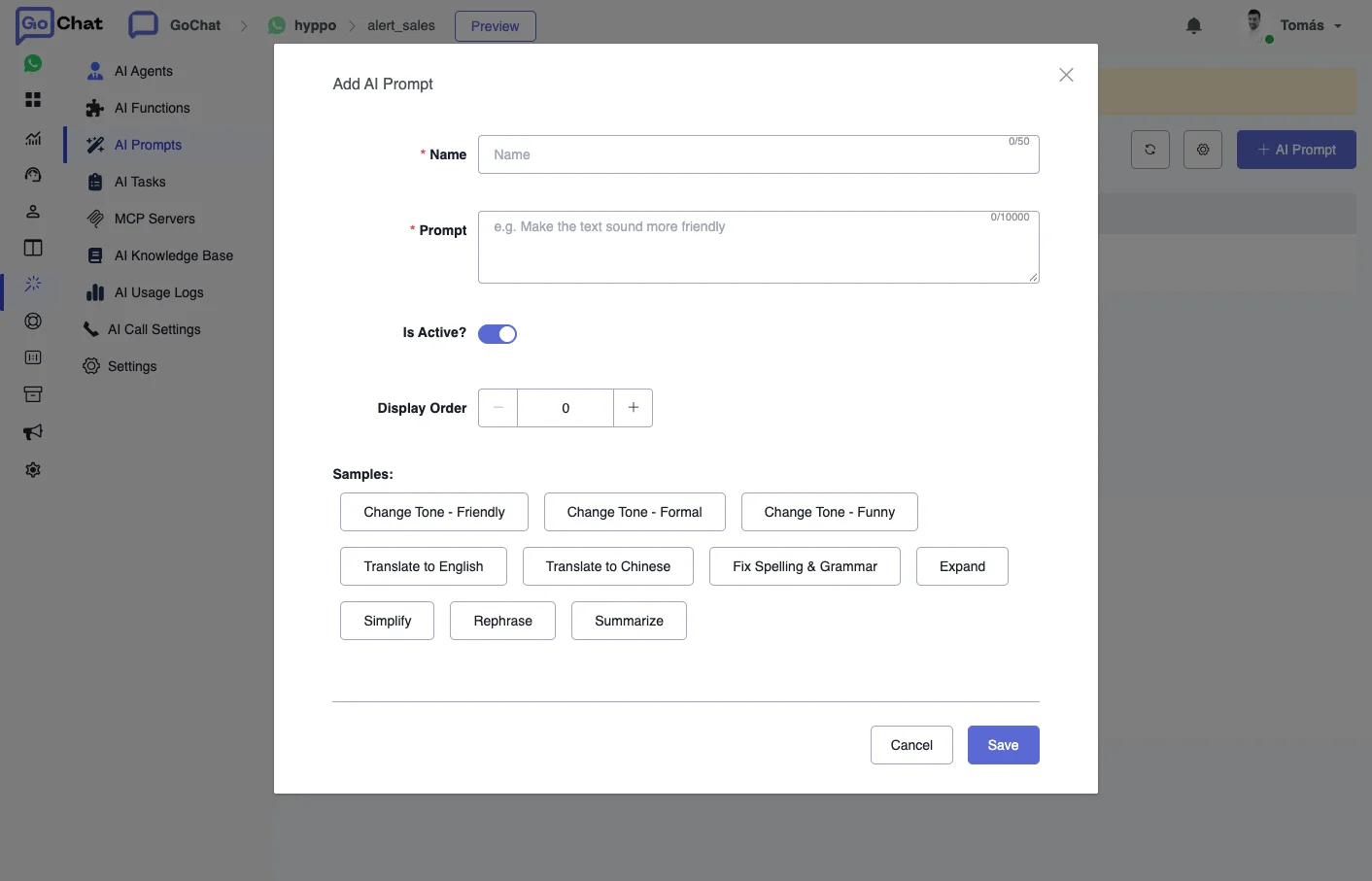
In your bot, go to AI Hub → AI Prompts and click + AI Prompt.
-
Fill in the prompt:
- Name: what agents see in the list, for example “Formal tone” or “Translate to English”.
- Prompt: the instruction the AI applies to the agent’s text.
- Is Active?: only active prompts show up in Live Chat.
- Display Order: the position of the prompt in the list.
Under Samples there are ready-made prompts you can start from: change the tone (friendly, formal or funny), translate to English or Chinese, fix spelling and grammar, expand, simplify, rephrase or summarize.
-
Save it.
There are samples you can start from for common cases, like changing the tone (friendly, formal, funny) or translating to another language.
You can only use AI providers that are connected to your workspace.
Use an AI Prompt in Live Chat
- Write your reply in the message box.
- Hover over the AI prompt icon and pick the prompt you want.
- Wait a few seconds until you get the transformed text.
- Review it and send it.
For example, an agent can write “Hi, how can I help you today?” and translate it to another language in a few clicks.
For other ways to save time in Live Chat, see Shortcuts.