
Conversation Mode gives you a detailed view of how your team handles support conversations. Once it’s on, you can track:
- How many conversations were assigned to agents and how many were resolved.
- How long agents take to reply to the conversations assigned to them.
- How much time goes into resolving each conversation.
Turn on Conversation Mode
- Click Workspace Settings in the left-hand menu of the dashboard.
- Open the Settings tab and click Enable under Conversation Mode.
- Set the conversation session timeout.
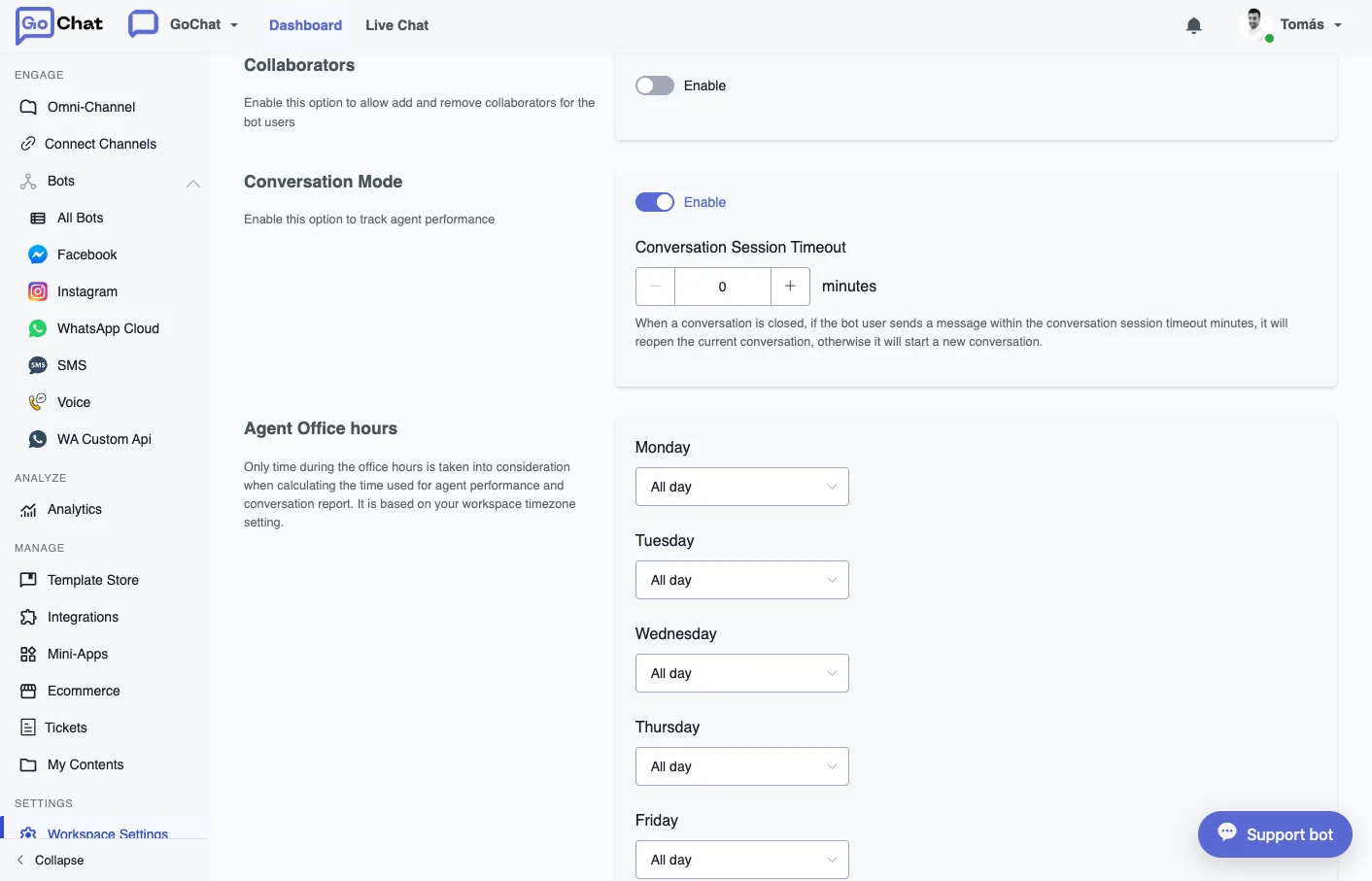
Set the agents’ office hours
In the same Settings tab, go to Agent Office Hours. You can set different hours for each day of the week: click a day, choose Custom office hours and enter the start and end times.
Reports
With Conversation Mode on, the Analytics tab of each channel shows new reports on conversations, responses, resolutions and a leaderboard of your agents.